Official APK
If you already use Happ, add the same copied link, choose a profile, and connect.
Download the official Happ APK ↗Happ website ↗Setup guide · Android
Set up HES VPN by Hidden Eyes System on Android with Incy: install the app from an official source, add your subscription link, and choose a profile.
First, get your link
Sign in after your subscription is issued. The account is available in English.
Your personal link is copied to the phone’s clipboard.
Recommended app
Choose an official installation source. The developer’s site provides an APK download. Other apps are listed in the full connection guide.
The screenshots show Incy on iPhone with its interface in Russian; these same subscription-import steps also apply on Android.
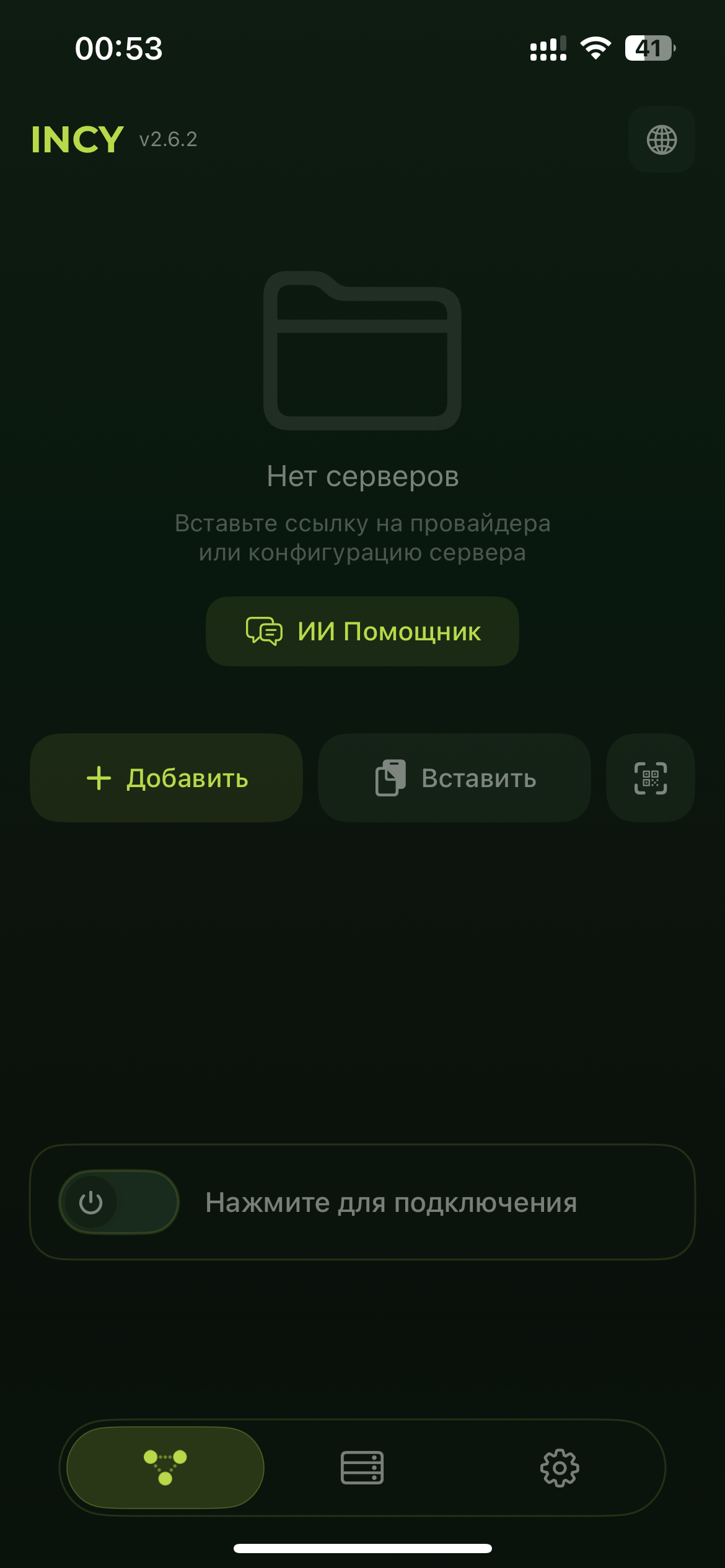
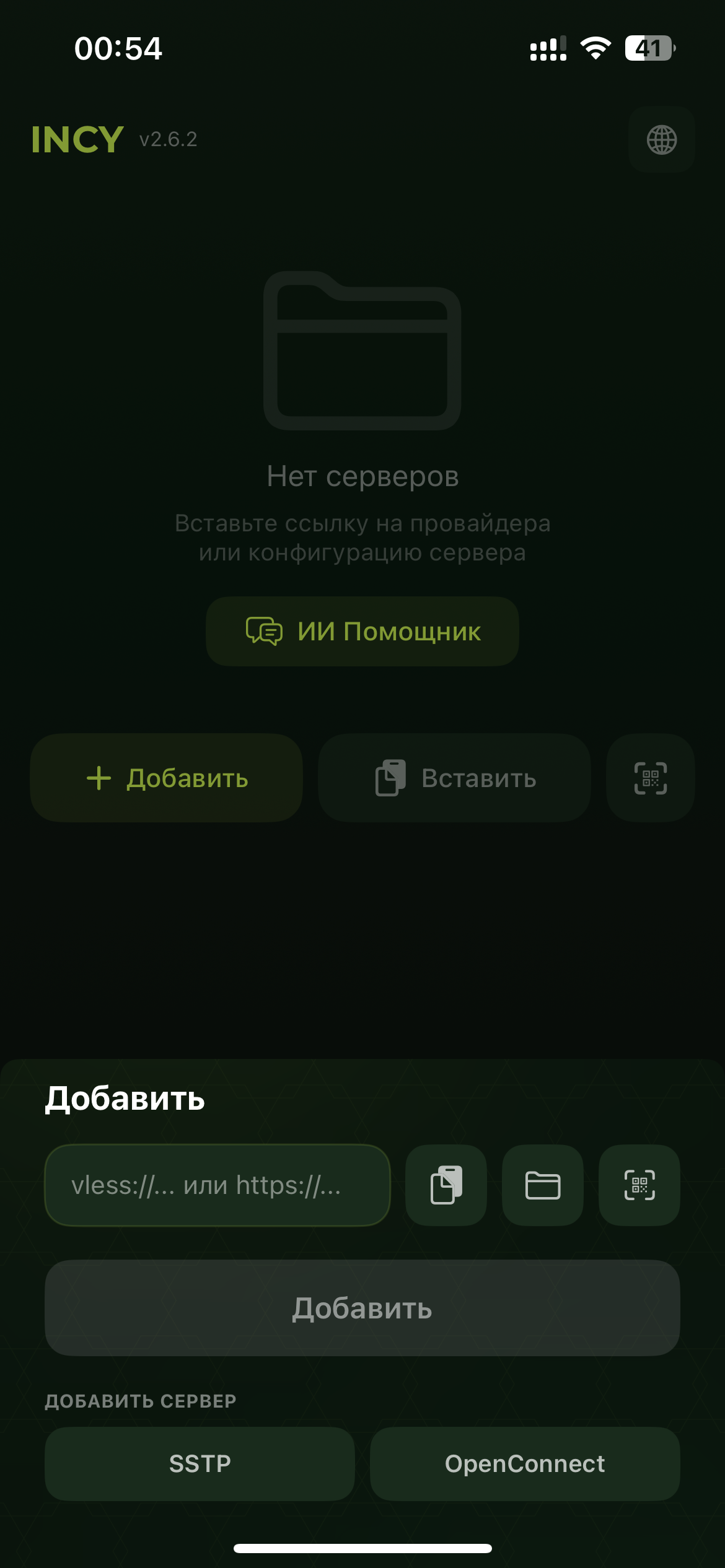
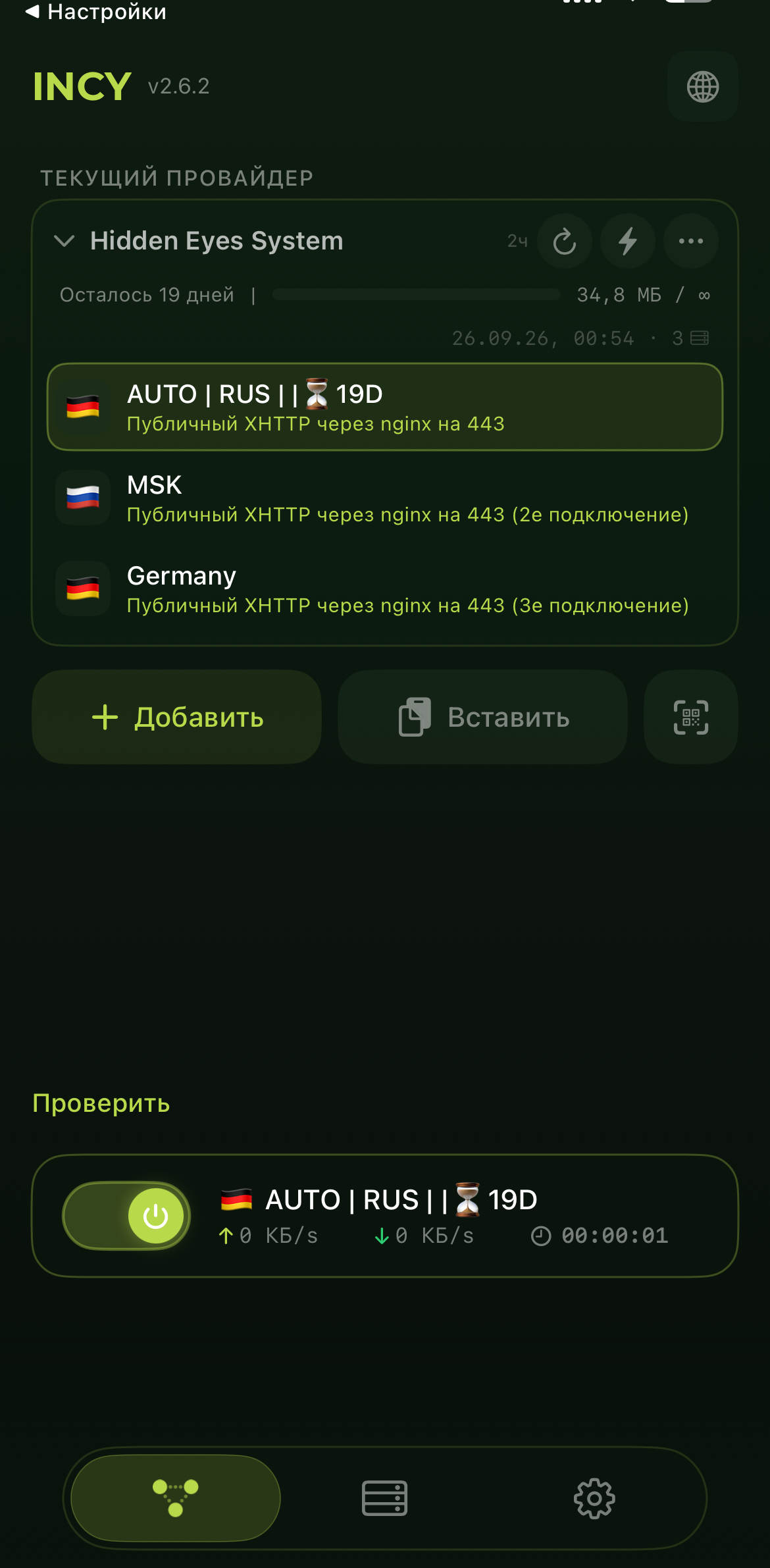
If Android asks for permission to create a VPN connection, allow it. To refresh the profile list, update the subscription in the app.
Another option
If you already use Happ, add the same copied link, choose a profile, and connect.
Download the official Happ APK ↗Happ website ↗For more apps and troubleshooting, open the full connection guide.